MPS Generator Testing
This is a small guide for testing the MPS model translation with generator tests, more details can be found on this link.
- Create a new Model in a fitting Solution using by right-click.
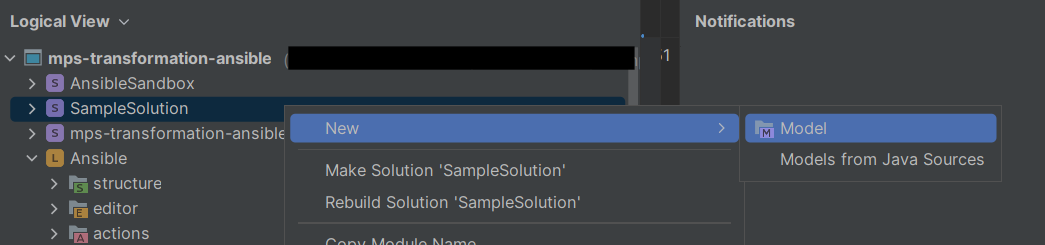
Hold "Alt" / "Option" to enable pan & zoom
- Enter a proper name and make sure to select "@tests"
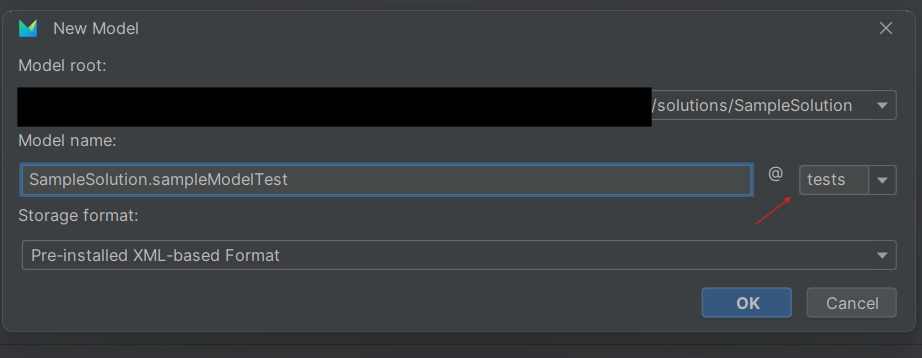
Hold "Alt" / "Option" to enable pan & zoom
- Import the language "jetbrains.mps.lang.test.generator" and finish the test model creation.
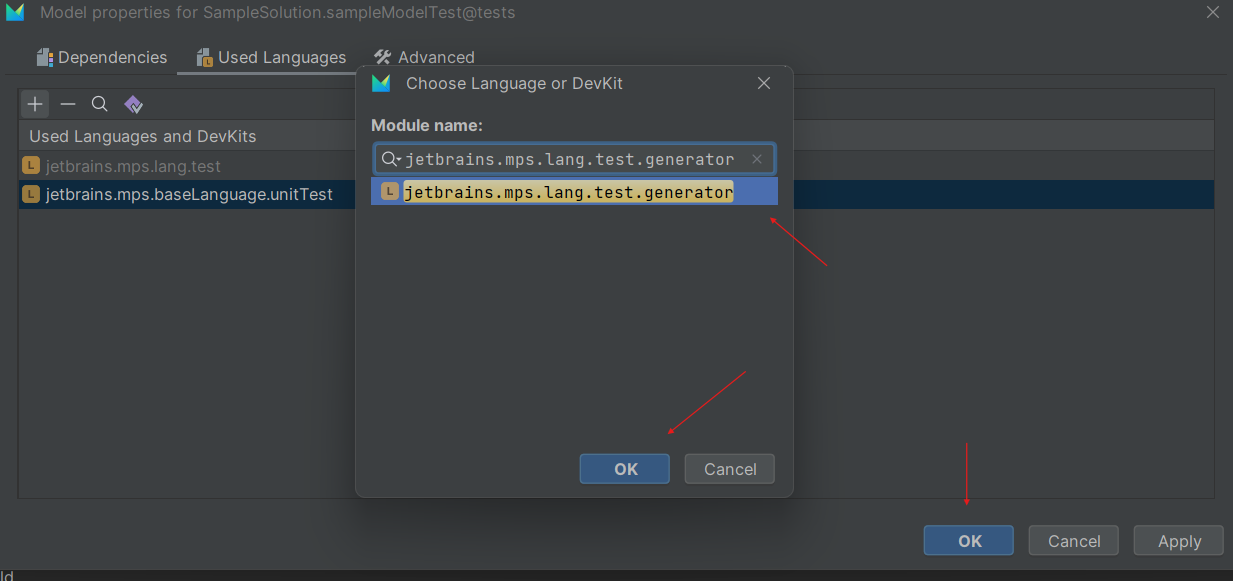
Hold "Alt" / "Option" to enable pan & zoom
- Now you can start creating generator tests, by right-click on the test model.
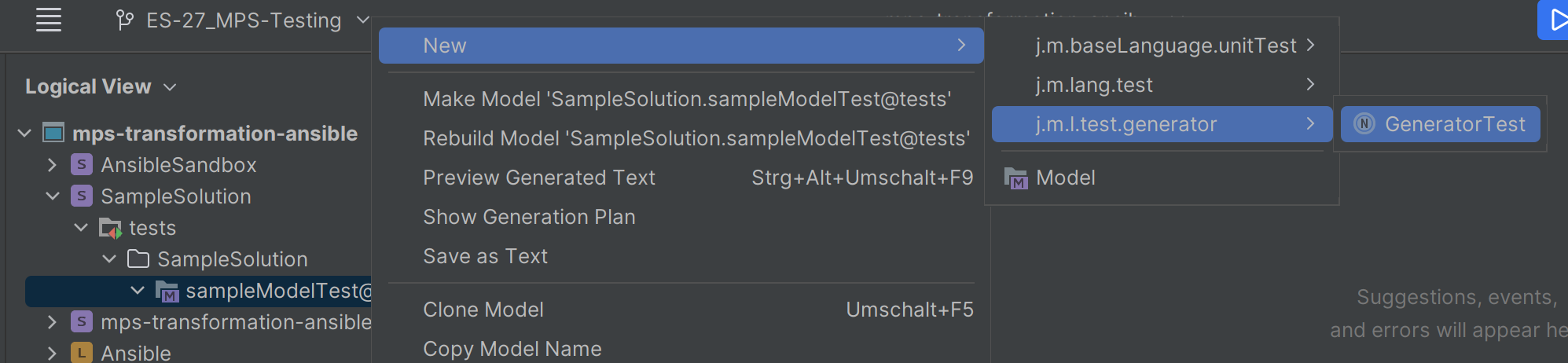
Hold "Alt" / "Option" to enable pan & zoom
- After creating the generator test you need to create the input model you want to test.
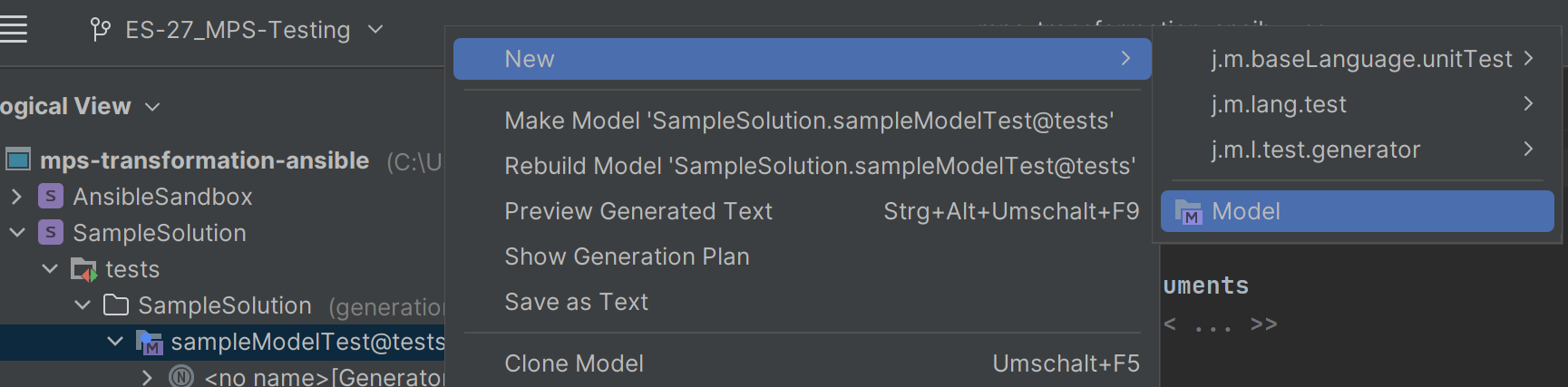
Hold "Alt" / "Option" to enable pan & zoom
- Enter a proper name and make sure to unselect the "@test".
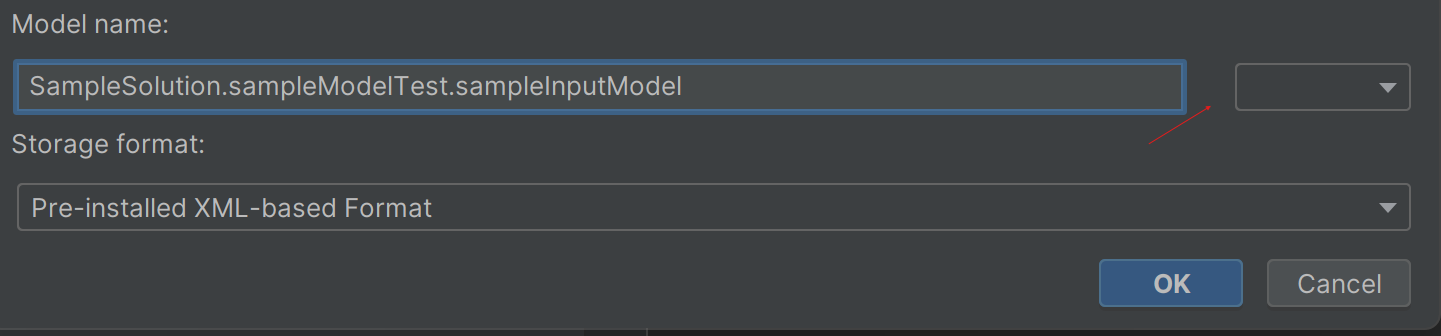
Hold "Alt" / "Option" to enable pan & zoom
- Add the language of the input model and finish the model creation. Do the same creation for the expacted output model.
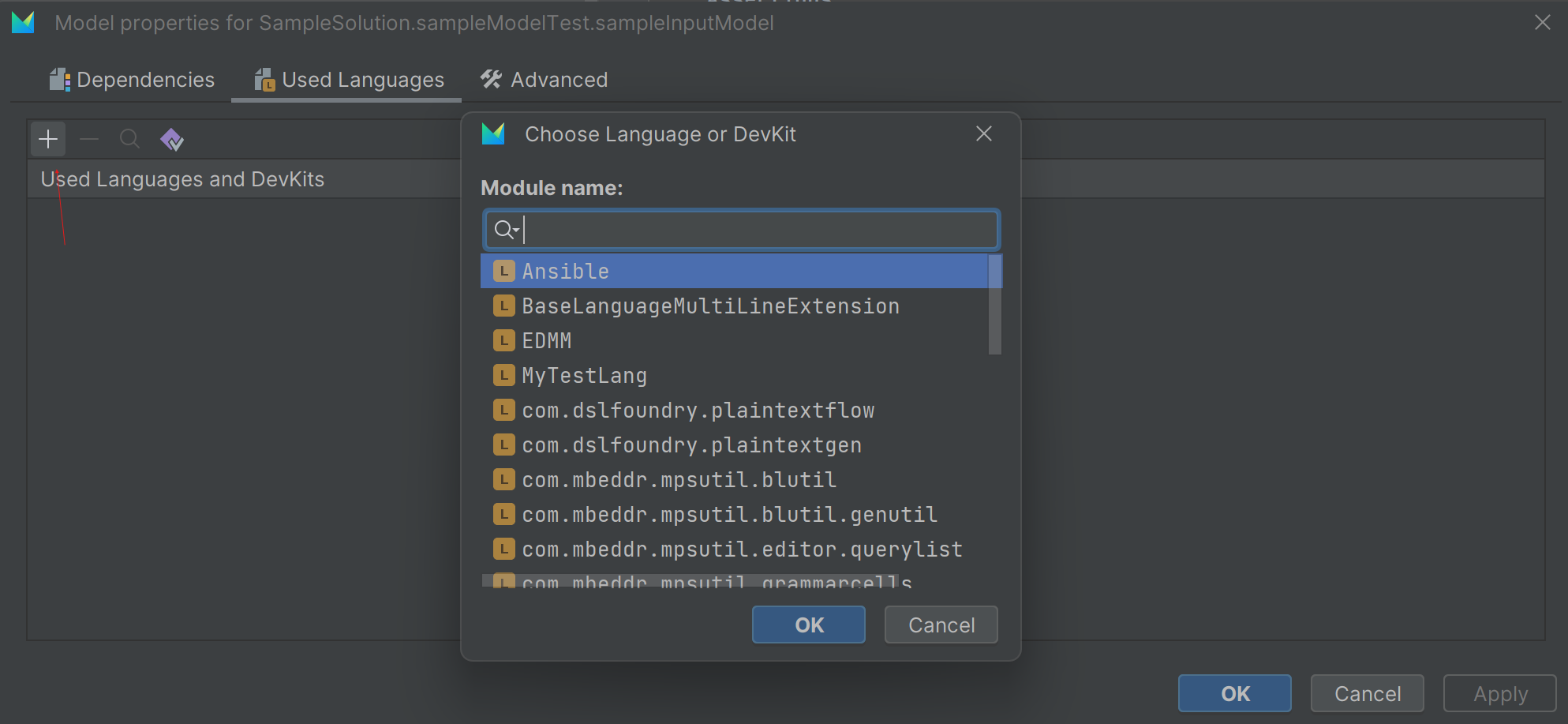
Hold "Alt" / "Option" to enable pan & zoom
- Finally you should have these modules:
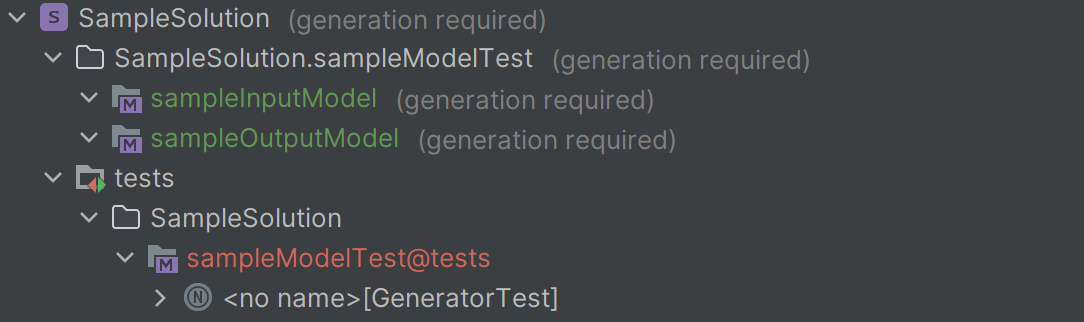
Hold "Alt" / "Option" to enable pan & zoom
Creating tests
To create tests you need to create specific input and output models:
- Right-click on the models and create a new deployment model for each.
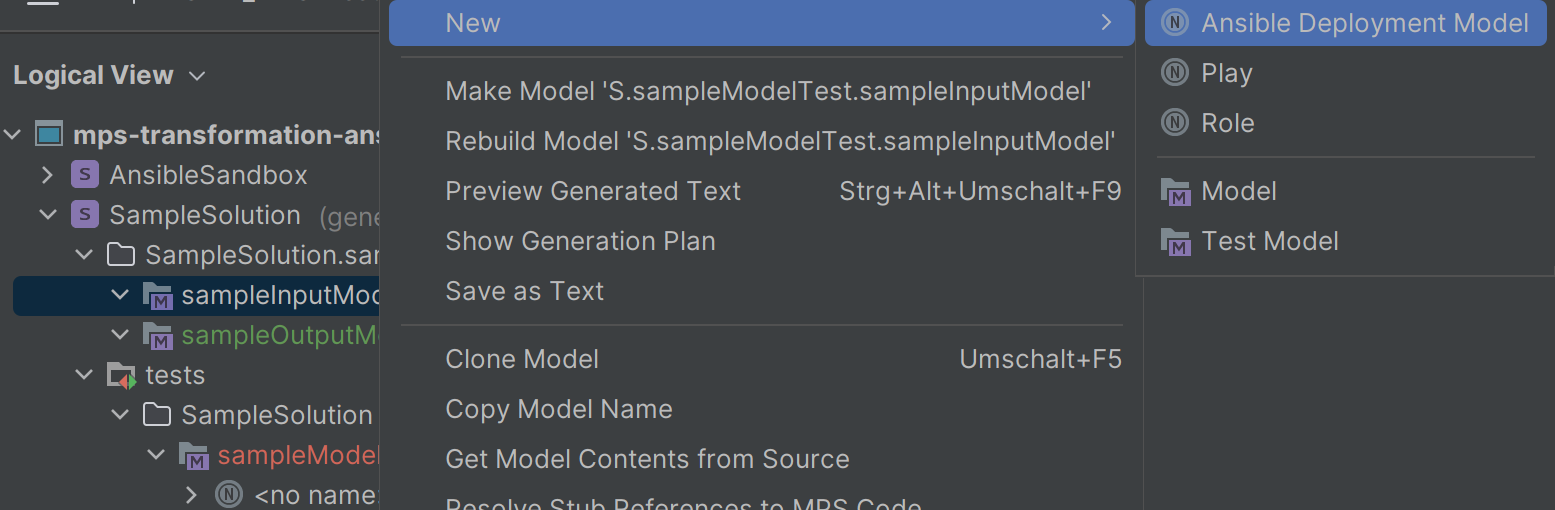
Hold "Alt" / "Option" to enable pan & zoom
- Now add the features you want to test and define the expected output. Use the keys ctrl + space in the deployment models to add components.
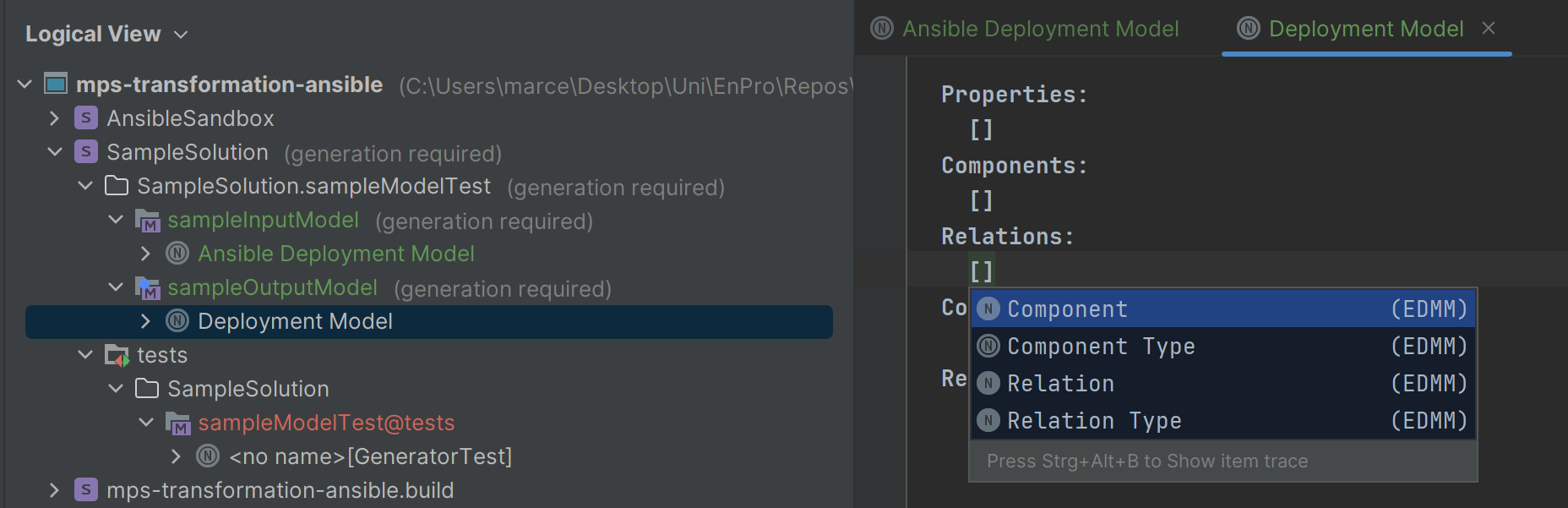
Hold "Alt" / "Option" to enable pan & zoom
- After adjusting these models, write the test in the generator test file. Use ctrl + space to see the possible testing options.
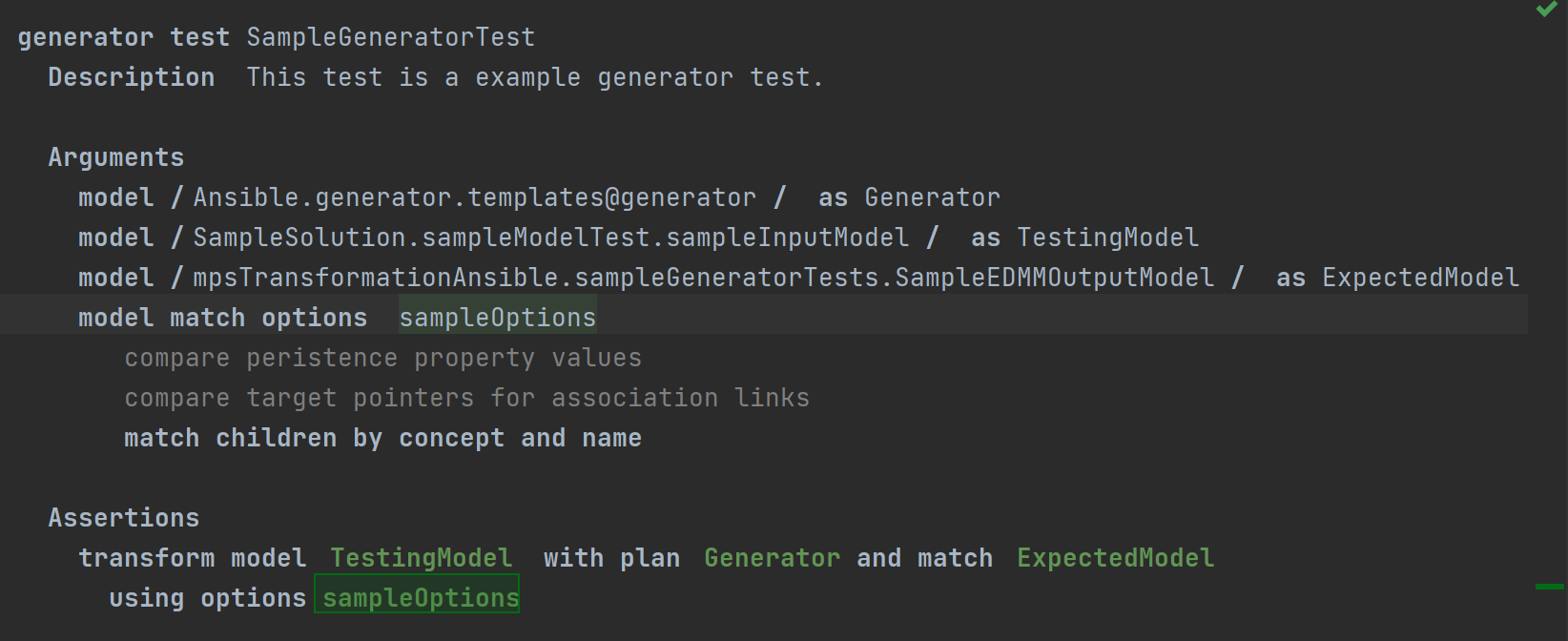
Hold "Alt" / "Option" to enable pan & zoom
- Now you can run the test by using right-click.